Request replay from curl
Paste or import a curl command and rerun it against the same service path.
 BugTrace
Local-first debugging workspace
Request Replay & Investigation Workspace for Microservices
Replay backend requests, collect Kubernetes logs correlated to that replay, compare runs, and investigate microservice behavior.
BugTrace is a request-centric investigation workspace for microservices.
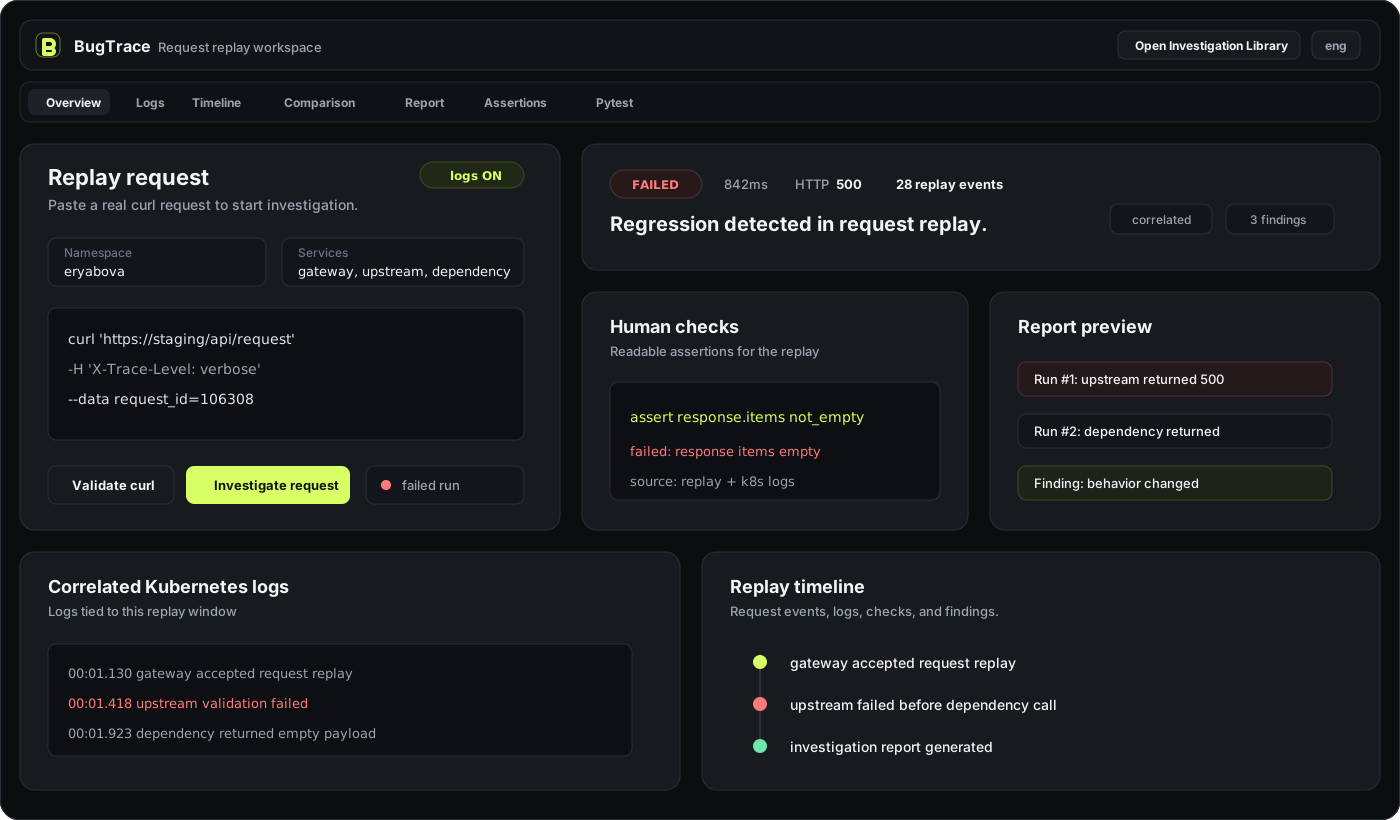
Demo surface
BugTrace starts from a replayed request and keeps logs, checks, timeline events, run comparison, and report output in the same workspace.
Main workflow
Features
More than a request runner: BugTrace ties replay input to Kubernetes evidence and produces artifacts you can review with the team.
Paste or import a curl command and rerun it against the same service path.
Collect pod, namespace, and container output around the replay window.
Fold request events, logs, checks, and service responses into one sequence.
Keep every run, note, finding, and report tied to the original request.
Compare failed and passed runs without losing the conditions that mattered.
Turn service expectations into readable assertions for fast review.
Generate compact summaries for teammates, Jira comments, or handoff notes.
Convert an investigation into a practical test draft for regression coverage.
Human-readable checks
Express service expectations in a small readable DSL, then keep the result next to the replay and logs.
assert response.items not_empty
Report output
Investigation example
BugTrace helps understand what changed between runs without switching between curl output, Kubernetes logs, and handwritten notes.
upstream returned 500
response items empty
upstream healthy
response items returned
Desktop
Download the local-first macOS app for Apple Silicon. BugTrace stays close to your kube context, replay input, logs, and investigation history.
If macOS blocks the app after download, run this once in Terminal:
xattr -rd com.apple.quarantine /Applications/BugTrace.app/